

Work with agents
Aven gives AI agents access to the same local task system you use in the TUI. Coding agents can inspect project context, find ready or blocked work, create and edit tasks, manage status, schedules, and relationships, and leave durable handoff notes. Chat integrations can turn messages or transcripts into tasks through the CLI and sync them to your other devices.
Install the aven skill
Section titled “Install the aven skill”aven skill installaven skill install writes the bundled skill to every detected coding-agent skill directory. Detection checks Claude Code, OpenCode, and Codex user directories, plus matching agent config directories in the current workspace.
Use --agent to choose explicit targets:
aven skill install --agent claudeaven skill install --agent opencodeaven skill install --agent codexExplicit targets are installed even when the agent directory is absent. The command reports a clear error when no supported agent is detected and no target is provided.
Set up automatic priming
Section titled “Set up automatic priming”Run aven prime automatically when an agent session starts. In Claude Code, add it to the SessionStart hook in ~/.claude/settings.json:
{ "hooks": { "SessionStart": [ { "matcher": "", "hooks": [ { "type": "command", "command": "aven prime" } ] } ] }}Other agent environments can use the same pattern: run aven prime at session
start and include its output in the agent context.
Project context
Section titled “Project context”aven infers the active workspace and project from the current directory. Start an agent from a repository directory and automatic priming loads the matching project context.
Use Configuration when directory names, workspace routes, or project path mappings need to be explicit. Use aven doctor from the same directory to inspect the active database, workspace, project, and routing decisions.
Work on tasks with coding agents
Section titled “Work on tasks with coding agents”A typical workflow looks like this:
- Capture or triage work in aven.
- Start your agent from the repository directory.
- Let the startup hook load aven context.
- Ask the agent to work on a specific ref, or to choose ready work.
- Review the code change and the task note the agent leaves behind.
Example prompts:
Work on APP-7KQ9. Use aven for status and handoff notes.Pick a ready docs task and complete it.Durable handoff
Section titled “Durable handoff”Descriptions hold the main task context: problem statement, scope, acceptance criteria, and links.
Notes hold durable handoff context: implementation decisions, blockers, partial progress, and review findings. Agent notes survive chat sessions, branch switches, worktrees, and machine restarts.
Skill or prime?
Section titled “Skill or prime?”Use the installed skill and priming for different levels of commitment:
| Setup | What the agent receives | Choose it when |
|---|---|---|
| Installed skill | Reusable aven instructions loaded on demand | You want the agent to know how to find tasks, update status, and leave handoff context when the request calls for task management, without adding open-task context to every session. |
aven prime |
Aven instructions plus live active, ready, and blocked work for the current project | You want the agent to see current task context as part of session startup. |
| Both | On-demand aven knowledge everywhere, and live task context in selected sessions | Aven is part of your workflow, but only some projects need automatic task context. |
aven prime includes the same guidance as the installed skill. A prime hook is the best fit for projects where the agent should connect the current work to active, ready, or blocked tasks without being asked to run a command first. Installing the skill is the best fit for agent sessions where task-management requests should load aven guidance on demand, while live task context can be loaded only when useful.
A common setup is to install the skill globally, then add a project-local prime hook only in repositories tracked in aven. That keeps agents aware of aven everywhere and gives them open-task context where it is useful.
What prime includes
Section titled “What prime includes”aven prime is the agent bootstrap command. It prints the aven skill plus open work for the inferred project.
The open work is grouped by pickability:
| Group | Meaning |
|---|---|
| Active | Work already in progress |
| Ready | Open work with dependencies resolved |
| Blocked | Open work waiting on unresolved dependencies |
A prime output includes the full skill first. The open-task part looks like this:
## Local Conventions
Project: avenOpen issue sample: 5Use capitalized task titles.Common statuses: active=2, inbox=3.Common labels: keybindings=1, ux=1.
## Open Issues
Summary: total=5 active=2 ready=3 blocked=0Top blockers: none.
### ActiveAVN-RQ4N status=active title="Investigate task dependencies or epics"AVN-F74G status=active title="Add full mouse support to the tui"
### ReadyAVN-Z55V status=inbox priority=high title="Add due dates or scheduling"AVN-CDEQ status=inbox title="Documentation site"AVN-12YM status=inbox labels=keybindings,ux title="Resolve Ctrl+P keybinding conflict"
### Blocked(none)
The aven skill
Section titled “The aven skill”aven skillaven skill emits the reusable agent-facing guidance for operating aven. It teaches agents how to use refs, inspect tasks, update status, create follow-up work, leave notes, handle long Markdown, and avoid unsafe task mutations.
The separate command is useful for debugging or custom agent integrations.
The source guidance lives in src/skill.md.
Connect chat integrations
Section titled “Connect chat integrations”OpenClaw and similar AI assistants can turn chat messages or voice notes into Aven tasks. This is useful for recording ideas as they come up, especially when you’re on the go.
Include the output of aven skill in the agent’s instructions, then have it call
aven add with an explicit workspace and project. If the agent runs on another
machine, aven sync shares the created tasks with your other devices.
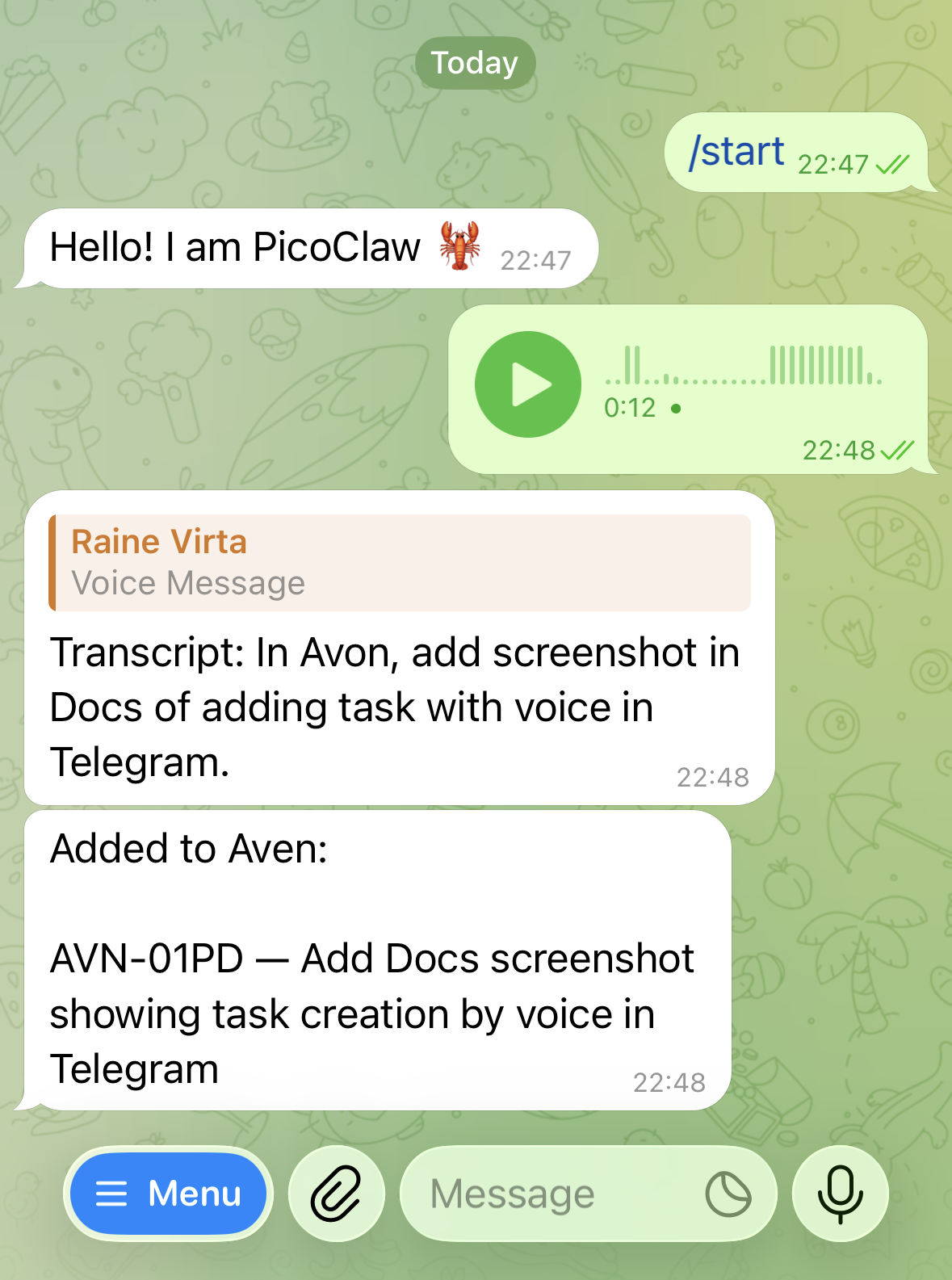
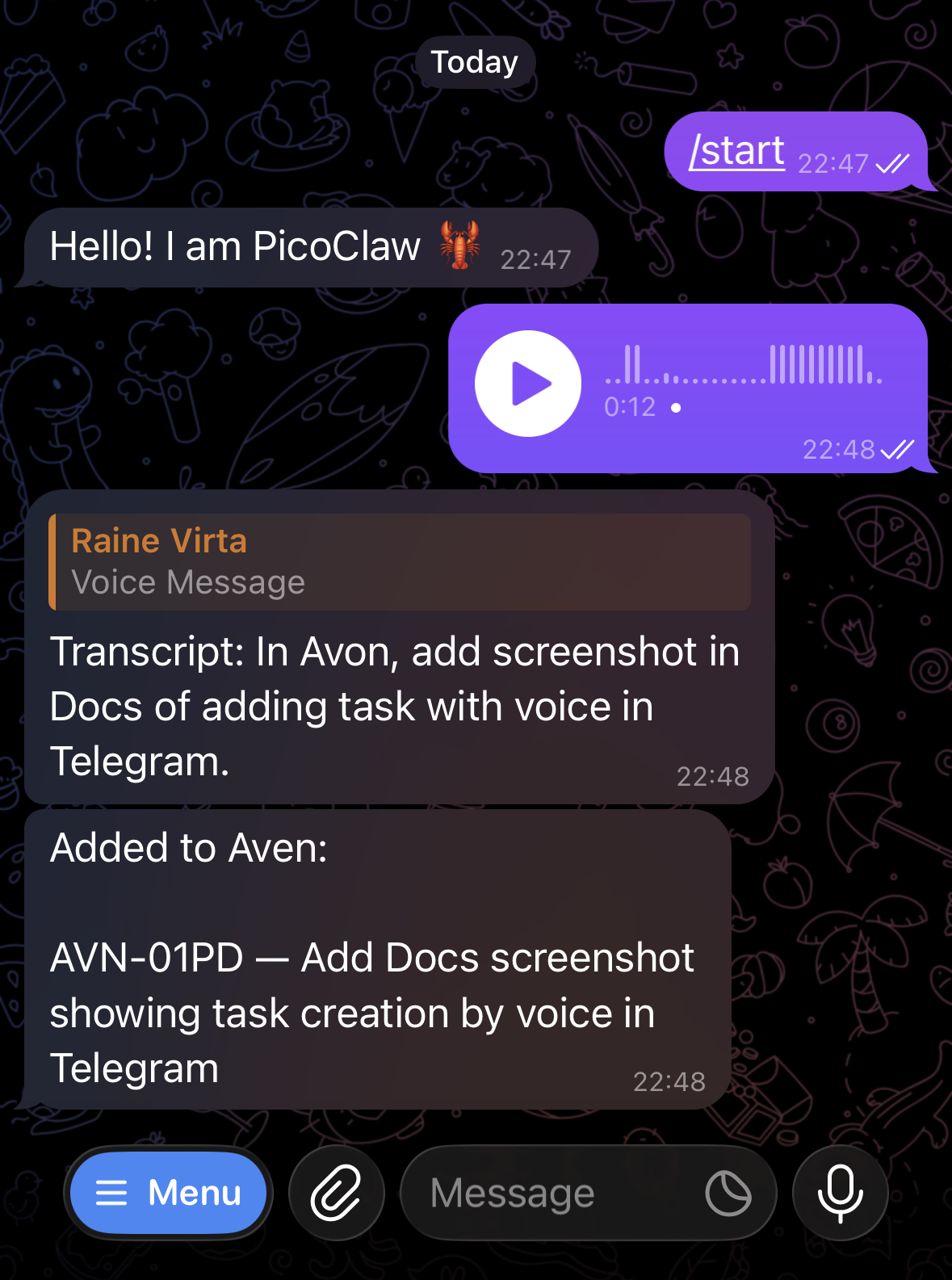
A Telegram voice message is transcribed into a project-scoped Aven task.