

Organizing tasks
Aven has several ways to organize work, each meant for a different kind of question:
| Tool | Question it answers |
|---|---|
| Workspace | Which independent collection of work does this belong to? |
| Project | Which project owns this task? |
| Label | Which cross-project category describes it? |
| Epic | Which larger outcome contains it? |
| Dependency | Which task must finish before another can proceed? |
Start with projects. Add the other structures only when they make work easier to find, prioritize, or hand off.
If views, selection, or command discovery are unfamiliar, start with Use the
TUI. Shortcuts such as t c a are keys pressed in sequence.
Separate work with workspaces
Section titled “Separate work with workspaces”A workspace is an isolated collection of projects, tasks, labels, and recurring tasks. Task references and relationships stay within a workspace. Every workspace in one database shares that database’s configuration and synchronizes through the same server.
Most people need only one workspace. Create another to keep separate areas of work apart, such as personal and work tasks. Use separate databases when they need independent configuration or synchronization.
The TUI switches between existing workspaces but does not create them. Create an
extra workspace once with aven workspace create personal, then press g w to
switch the active workspace. The header shows which workspace is open, and every
task view changes to that workspace. Renaming workspaces is covered by the
workspace command reference.
Assign tasks to projects
Section titled “Assign tasks to projects”Every task belongs to one project. Projects provide the main scope for task lists, queue views, references, and agent context.
Press p to administer projects and p a to add one. In the task composer,
choose Project to place new work explicitly or leave Infer selected to
use the project mapped to the current directory. Press e j to move the
selected task to another project.
Use g p to scope the current view to one project. Press g a to return to all
projects in the workspace.
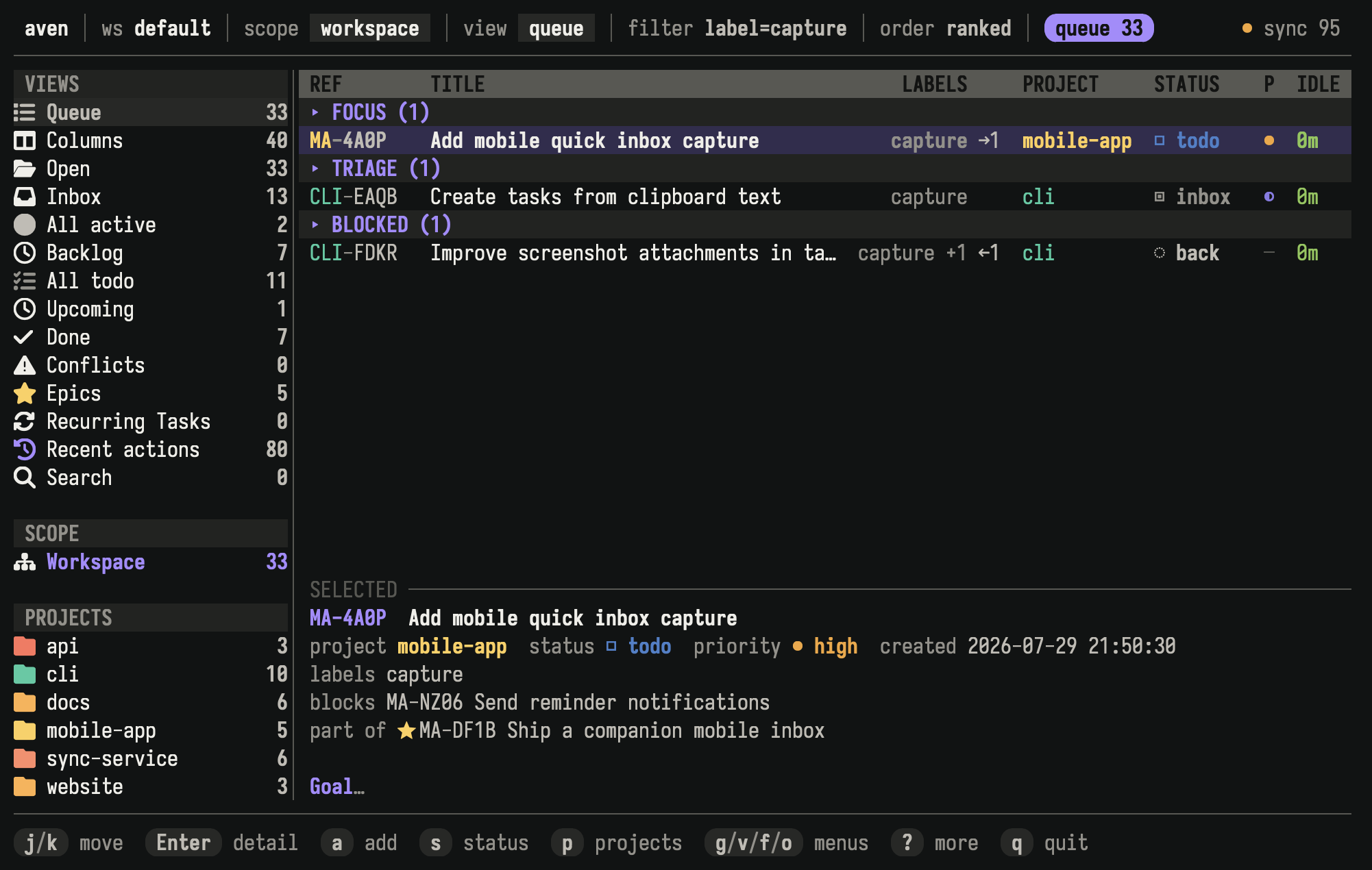
Workspace scope shows project ownership while a label filter finds related work across projects.
Use projects for durable ownership, not temporary categories. Moving a task changes its displayed project prefix while preserving its identity.
Classify work with labels
Section titled “Classify work with labels”Labels describe concerns that can cross project boundaries, such as security,
documentation, or waiting-on-review. A task can have several labels.
Press L to administer labels and L n to add one. Choose labels in the task
composer, or press e l to change them on an existing task. Press f l to
filter the current view by label.
Prefer a project when every task should have exactly one owner. Prefer labels when a category can apply in several projects.
Group an outcome with an epic
Section titled “Group an outcome with an epic”An epic is a task that contains child tasks. Use one when several pieces of work contribute to a larger outcome and you want to inspect or navigate them together.
The TUI manages epic membership but does not create epic containers. Create one
with aven add "Release mobile app" --epic, then select it and press t c a to
choose an existing task or create a new child. To remove a child, focus it with
Tab in epic detail or select its expanded row, then press t c r. Use t c t
to expand or collapse an epic in supported views. Press v e to open the Epics
view.
An epic and its children must belong to the same workspace and project. Epic membership expresses structure, but does not block a child from being worked on.
Put work in order with dependencies
Section titled “Put work in order with dependencies”A dependency says that one task is waiting for another. Blocked tasks remain visible, but Aven keeps them out of ready work until their blockers are done.
Select the waiting task and press t B to choose a blocker. Press t U to
remove one. Task detail shows both what blocks the selected task and which tasks
it unlocks.
Queue keeps tasks with unresolved dependencies in its Blocked group. Use a dependency when order matters, and use an epic when tasks belong to the same larger result. A task can participate in both relationships.
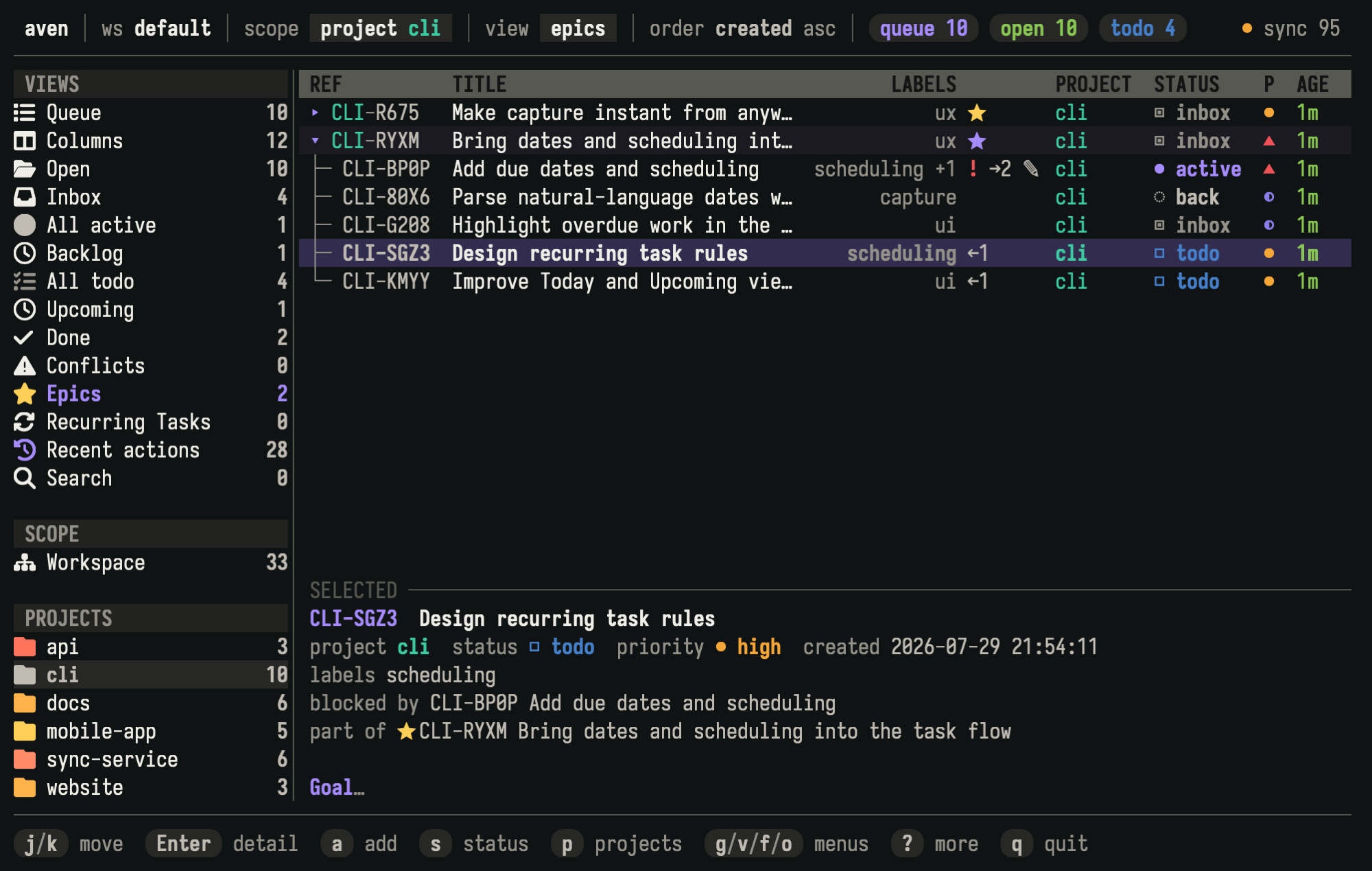
The selected task belongs to the scheduling epic and is blocked by another child task.
Related pages
Section titled “Related pages”- Using the TUI covers navigation, selection, and command discovery.
- Concepts defines these structures in the task model.
- Scheduling tasks explains when organized work should appear or become due.
Reference
Section titled “Reference”The command reference documents workspaces, projects, and labels,
aven epic, and
aven dep for scripts, agents, and terminal
workflows outside the TUI.